Multi-Factor Authentication: Enhancing Your Online Security

What is Multi-Factor Authentication (MFA)?
Multi-Factor Authentication is an extra security layer that requires a second verification step in addition to your password. This additional factor, often a one-time code sent to your mobile device or generated by an authentication app ensures that even if your password is compromised, your account remains protected.
By enabling MFA, you safeguard your account against phishing, brute force, and credential stuffing attacks. Without MFA, a stolen or guessed password could allow unauthorized access to your emails and personal data. An attacker would also need access to your secondary verification method, making unauthorized access significantly more difficult.
How Does MFA Work?
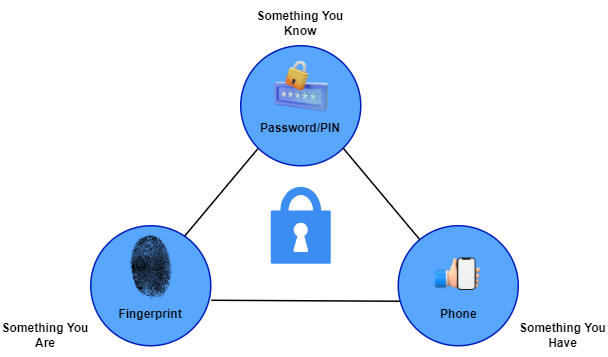
MFA uses a combination of at least two of the following factors:
- Something You Know: A password, PIN, or answer to a security question.
- Something You Have: A smartphone, authentication app, or a security token.
- Something You Are: Biometrics such as fingerprints, facial recognition, or retina scans.
Why is MFA Important?
Cybercriminals often exploit weak or stolen passwords to gain access to user accounts. MFA enhances security by ensuring that even if a hacker obtains your password, they still need an additional verification step.
Key Benefits of MFA:
- Enhanced Security: Protects accounts from credential-based attacks.
- Defense Against Phishing: Prevents unauthorized access even if login details are compromised.
- Compliance: Many organizations require MFA for data protection compliance.
Common MFA Methods
There are different ways to implement MFA, each providing varying levels of security:
-
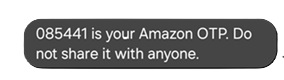
One-Time Passwords (OTPs): Sent via SMS, email, or authentication apps.
-
Push Notifications: Sent to a trusted device for approval.

-
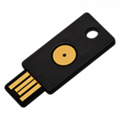
Hardware Security Keys: USB or NFC-based keys for authentication.
-
Biometric Authentication: Fingerprint, facial recognition, or retina scanning.



How to Set Up MFA
Activating MFA is straightforward. Below are steps to enable MFA on common services:
Pro Tip: Use authentication apps such as Google Authenticator, Microsoft Authenticator, or Authy instead of SMS-based OTPs for better security.
Conclusion
In today’s cyber-threat landscape, passwords alone are not enough. Multi-Factor Authentication is a simple but effective way to secure your online accounts and personal data. Whether for personal use or business security, enabling MFA significantly strengthens account protection.
Stay Secure. Stay Protected. Enable MFA Today!